Join 130,000+
relaxed employees from 106 countries

For who

When Should a 360 Review Extend Beyond Your Company?

A classic 360 review gathers feedback from within the organization: supervisor, colleagues, subordinates, self-assessment. But if your team works daily with people outside the company, you're missing the most important perspective. Here are three situations where external feedback is valuable:

Use Case #1

Software House / Project Work

A programmer or PM works for months on the client's side. Their supervisor only sees a part of this work. The client's opinion completes the evaluation.

Use Case #2

Marketing Agency, Creative Agency, Consulting Agency

Account managers and specialists are evaluated based on how the collaboration looks from the client's perspective. Without this input, the evaluation is incomplete.

Use Case #3

Role With External Contact

Sales, customer success, partnerships. Daily contact with clients provides insights you can't gather internally.

One More Type of Reviews – You Enable It During Session Configuration

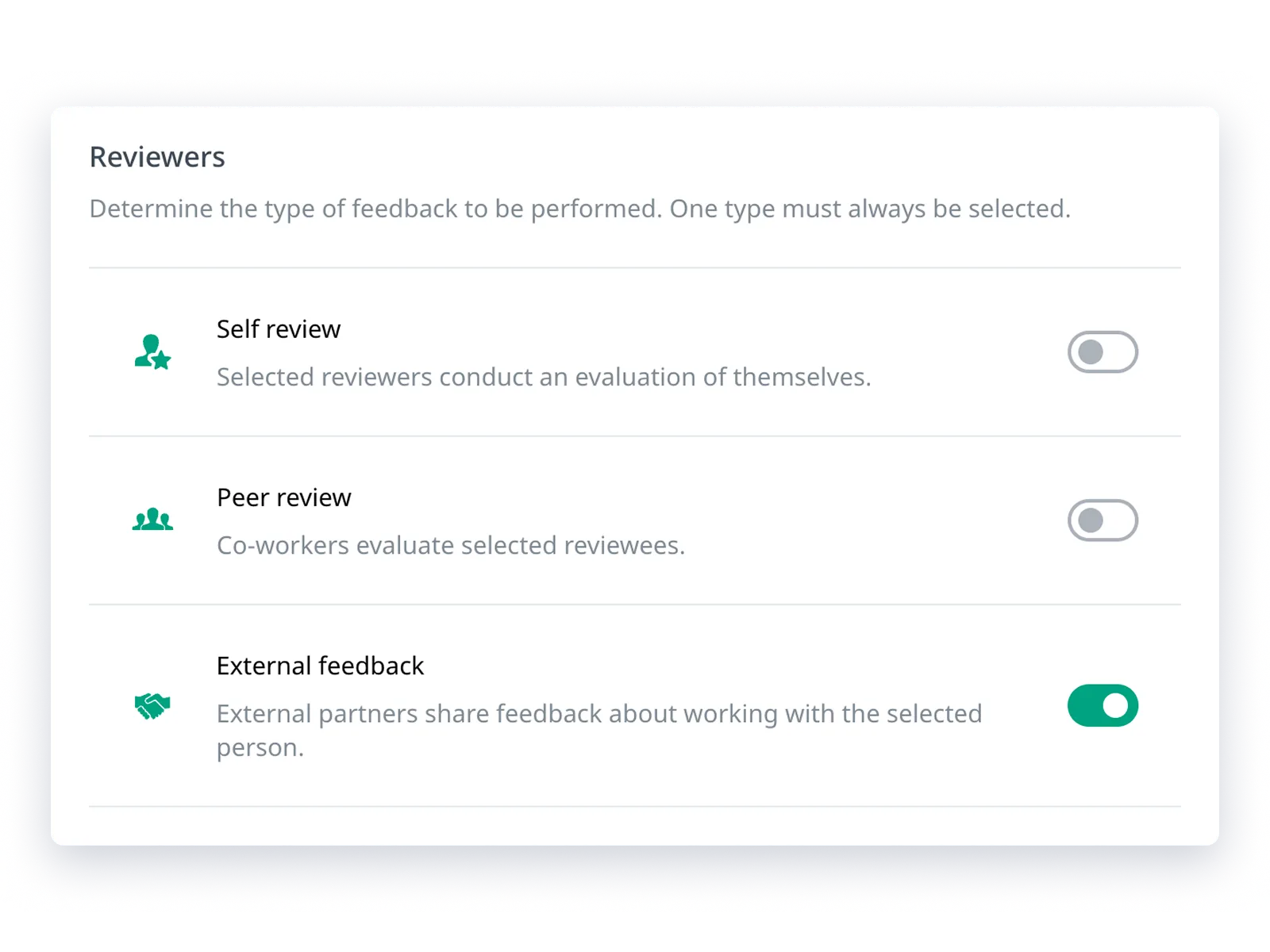
External review is a type of assessment alongside self-assessment and peer review. You enable it with a switch during session configuration and, like the other types, assign your own questions to it.

You can also tailor specific questions to appear only in the external review, allowing you to ask partners different questions than coworkers.

Clients Can Provide Feedback Through a Secure Link Without an Account

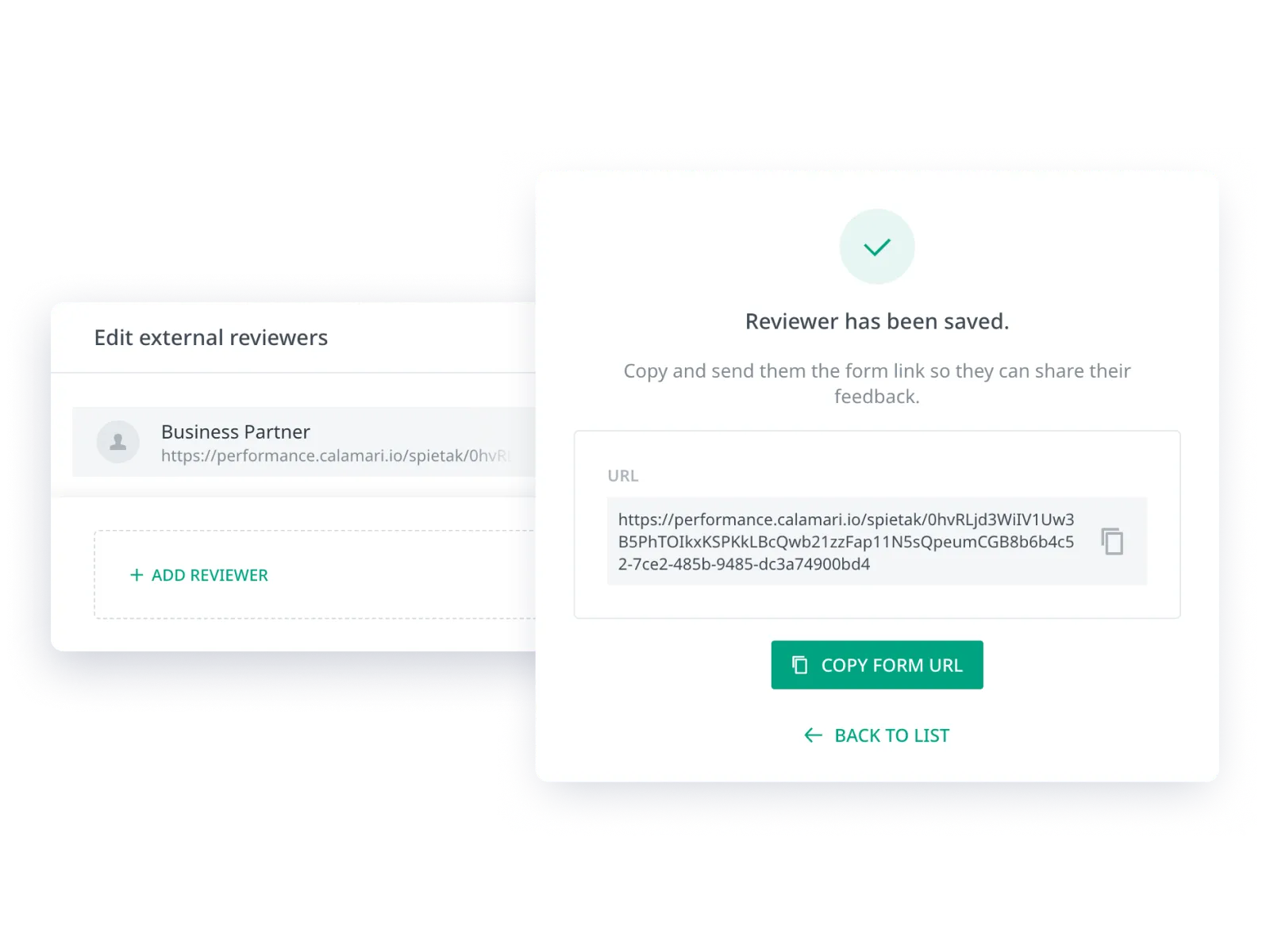
In most tools, someone needs an account (often a paid license) to leave a review. We do it differently. You add an external reviewer by providing their name, and the system generates a unique, secure link to the form. You copy it and send it to the partner. The link works in a browser, even in incognito mode.

Example use case

You're reviewing a programmer who has been working at the client's site for six months. You add the company as an external reviewer, copy the generated link, and send it to the client's representative. They open the form, complete the review, and submit it – all for free, without creating an account in Calamari.

Flexible Review Form With Your Questions

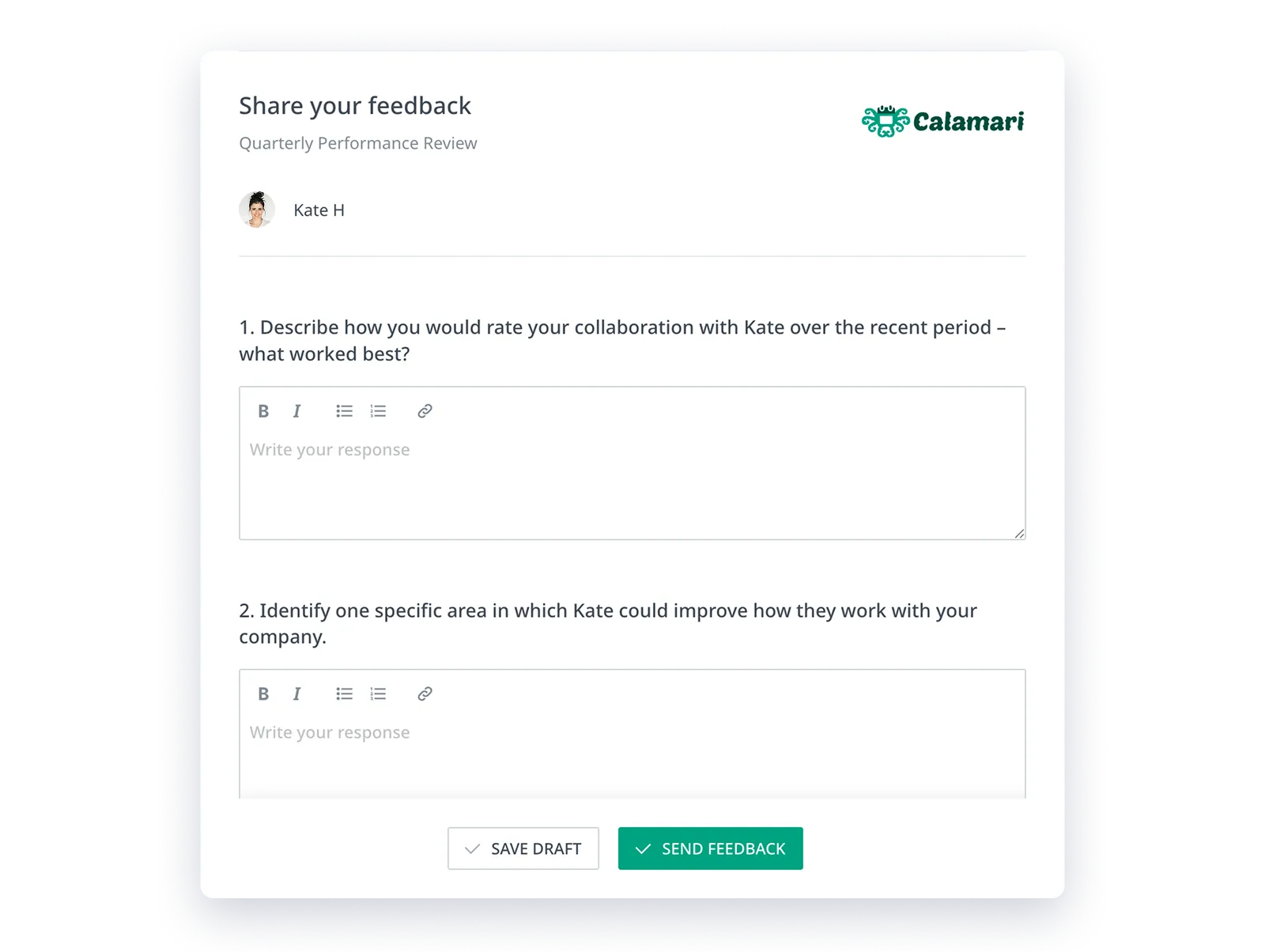
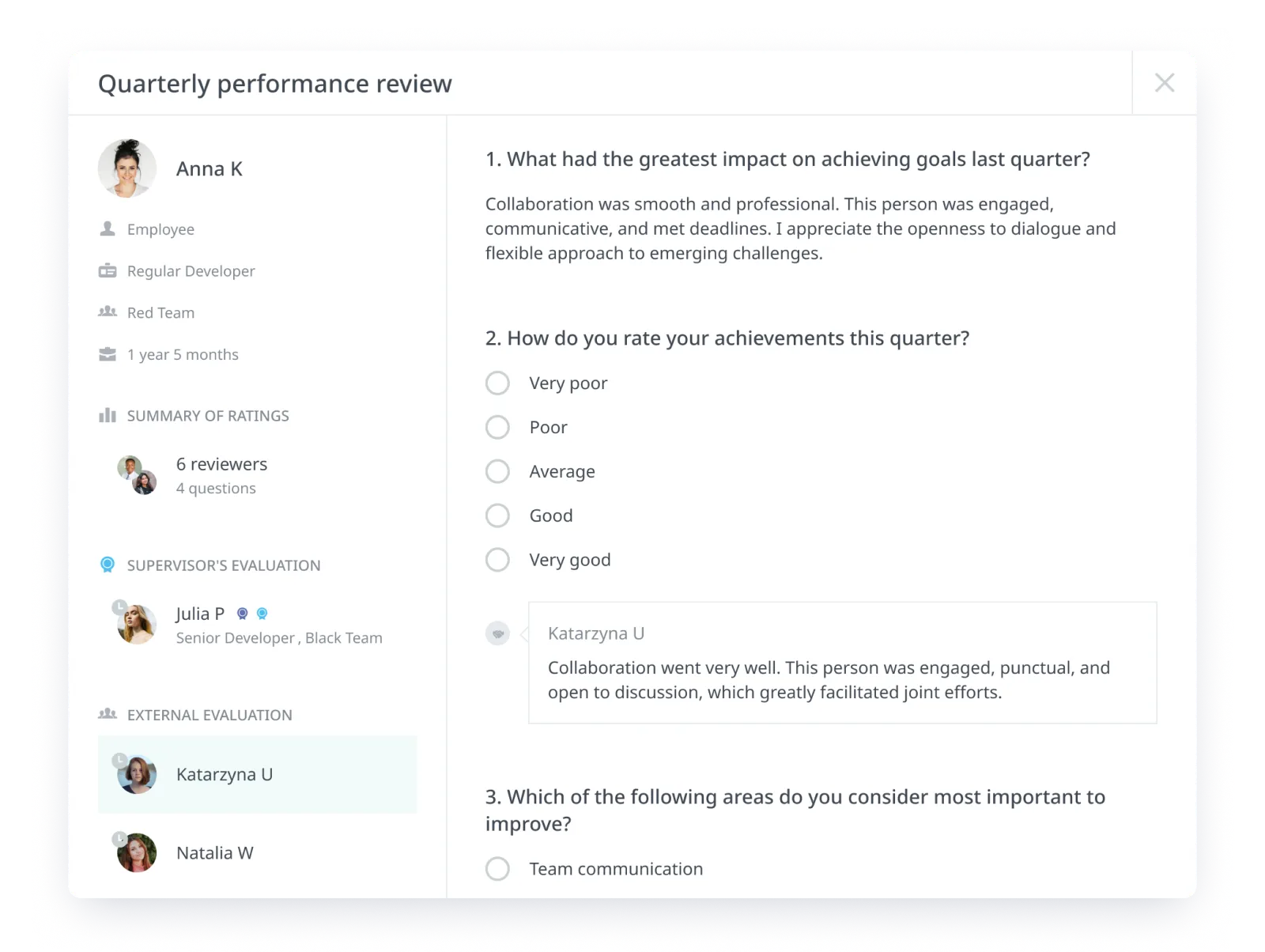
Under the link, a form tailored to your needs opens, with the name of the person being reviewed. The partner answers your questions, can save a draft and return later, and after submission, sees confirmation that the feedback was received.

You always know who provided the feedback. External evaluations are attributed by name – you can see which partner submitted the response to facilitate accurate interpretation.

Track The Progress Of External Reviews In Real Time

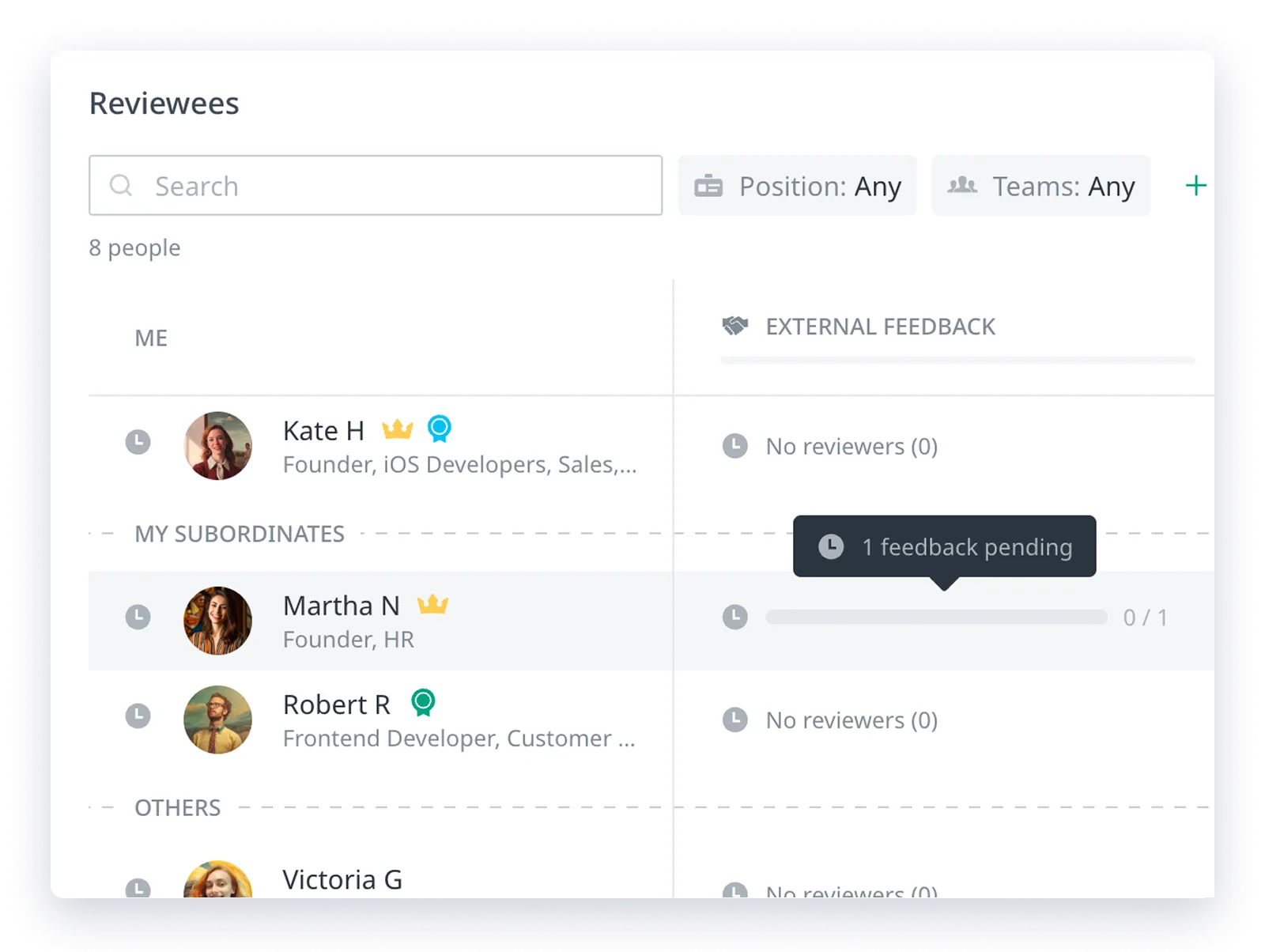
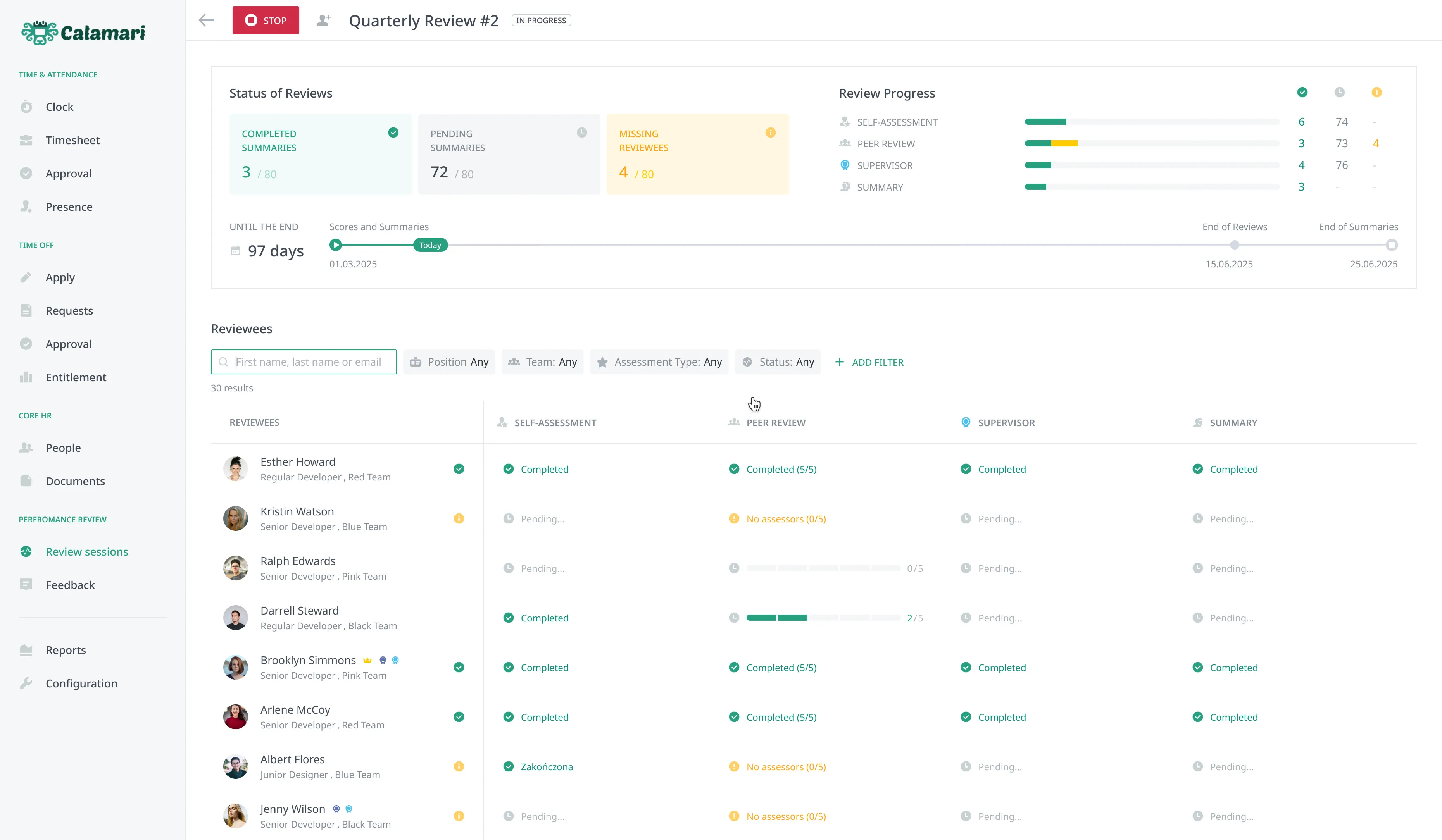
Once the session starts, the external review is visible in the session panel. Overall progress can be seen in the 'Status' section, and in the 'Reviewees' table, you can check the status for each person individually – who has already gathered feedback and who is still pending. HR and Performance Review administrator maintains full control over the process.

External Feedback Is Integrated With the Rest of the Review.

All external reviews collected in the session can be found in the reviewee's view, in the 'External Review' section – alongside self-assessment and peer review.

You don't need to merge spreadsheets or search for feedback in emails. You can export the results both visually and to Excel.

Example use case

Instead of keeping the client's review in a separate Google Form and manually attaching it to the rest, you have it in the same 360 session — in the reviewee's card, ready to export along with the entire review.

Our Approach

Collecting Customer Feedback

CaseStandard ApproachExternal Feedback at Calamari
You want to know the client's feedback, with whom the employee works daily.
❌ The client would need to get an account (sometimes a paid license)
✅ You send a link — the client reviews without an account and without logging in
Feedback from a partner should be included in the same 360 review.
❌ It ends up in a separate Google Form or email
✅ It goes into the same session, alongside other types of evaluation
You want to ask a partner different questions than a coworker.
❌ You create a separate survey
✅ You narrow down selected questions exclusively for external evaluation
You need to keep track of who has already responded
❌ Manually check your inbox and spreadsheets
✅ The status of each person is visible in the session panel
You want to compile the results into a single report
❌ You manually merge files
✅ Visual export and to Excel along with the entire evaluation

Performance Review

Run performance reviews without the paperwork

Calamari handles the whole cycle for you — invitations, reminders, and collecting responses. You design the questionnaire and review model, the system keeps everyone on track and pulls results into clear reports. One login, one place for the entire process.

Frequently Asked Questions

Here’s some information helpful for anyone looking to understand exactly how our Performance Reviews work