- open-ended questions capture context and reflection,
- rating scales enable comparison across people and time,
- and single choice gives you precise, structured data.
Employee evaluation forms that ask the right questions to the right people
Build performance review forms with different question types for different roles and teams – all within a single review cycle. In Calamari, every person gets questions that actually make sense for their position.
Trusted by operational teams in 106 countries









Why HR teams choose Calamari's evaluation form creator
One form, role-specific questions
Set filters on each question so different teams and positions see only what's relevant – without duplicating forms or review cycles.
Set up in hours, not weeks
No IT needed. Pick question types, write your questions, hit start. Most companies launch their first review cycle the same day.
Built into your HRIS
Employee data, teams, and positions are already in Calamari. No imports, no syncing with a separate performance tool.
What you can do with Calamari's evaluation form creator
One form creator, many possibilities. See how Calamari lets you build employee evaluation forms that make sense for every person in your company.
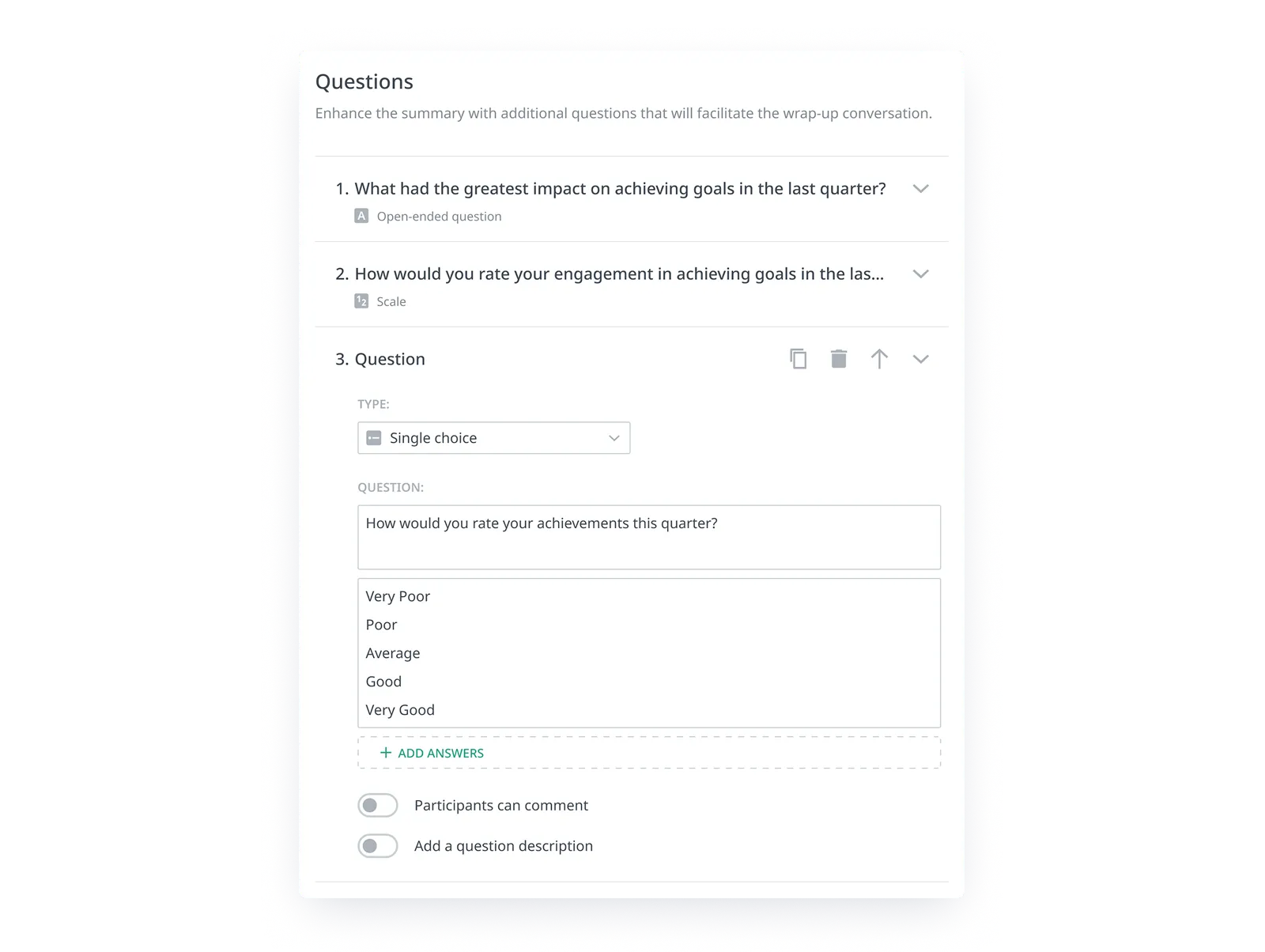
Questions designed for different evaluation goals
Build your employee evaluation forms using open-ended questions, rating scales, and single-choice questions.
You can add descriptions and justifications to each question, and participants can comment on their own answers - so your evaluation form gives you a fuller picture than a score alone.
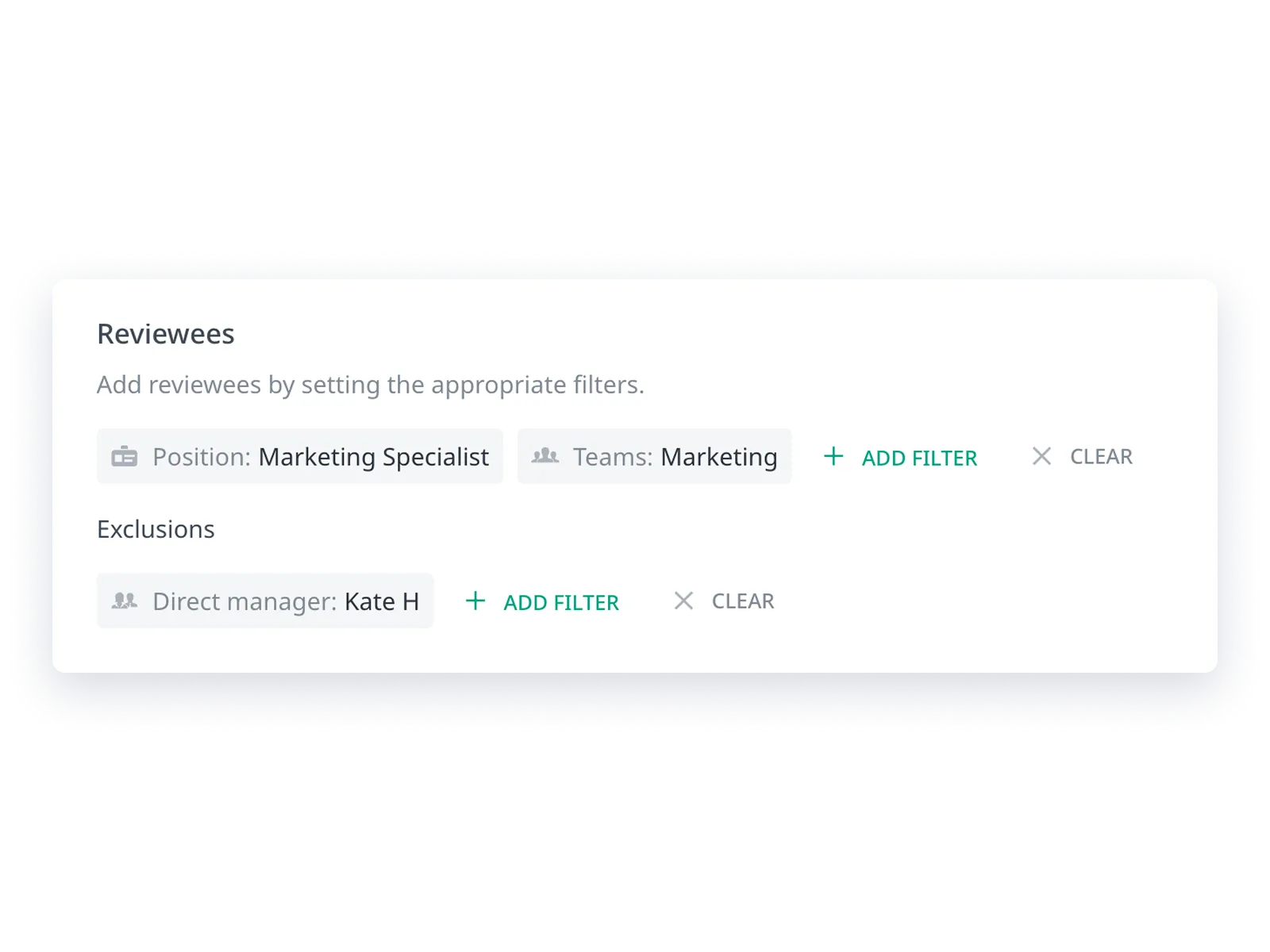
Role-specific questions within one review cycle
This is where Calamari's evaluation form creator stands out. Within a single review cycle – say, your annual performance appraisal for the whole company – you can show different questions depending on who's being evaluated and who's doing the evaluating.
- the evaluated person's team,
- their position,
- the reviewer's team,
- and the reviewer's position.
In practice: your annual review runs company-wide, but the marketing team gets a question about campaign analytics, the sales team gets one about target achievement, and cross-team peer reviews focus on collaboration.
One cycle, multiple perspectives without creating separate evaluation forms for each department.
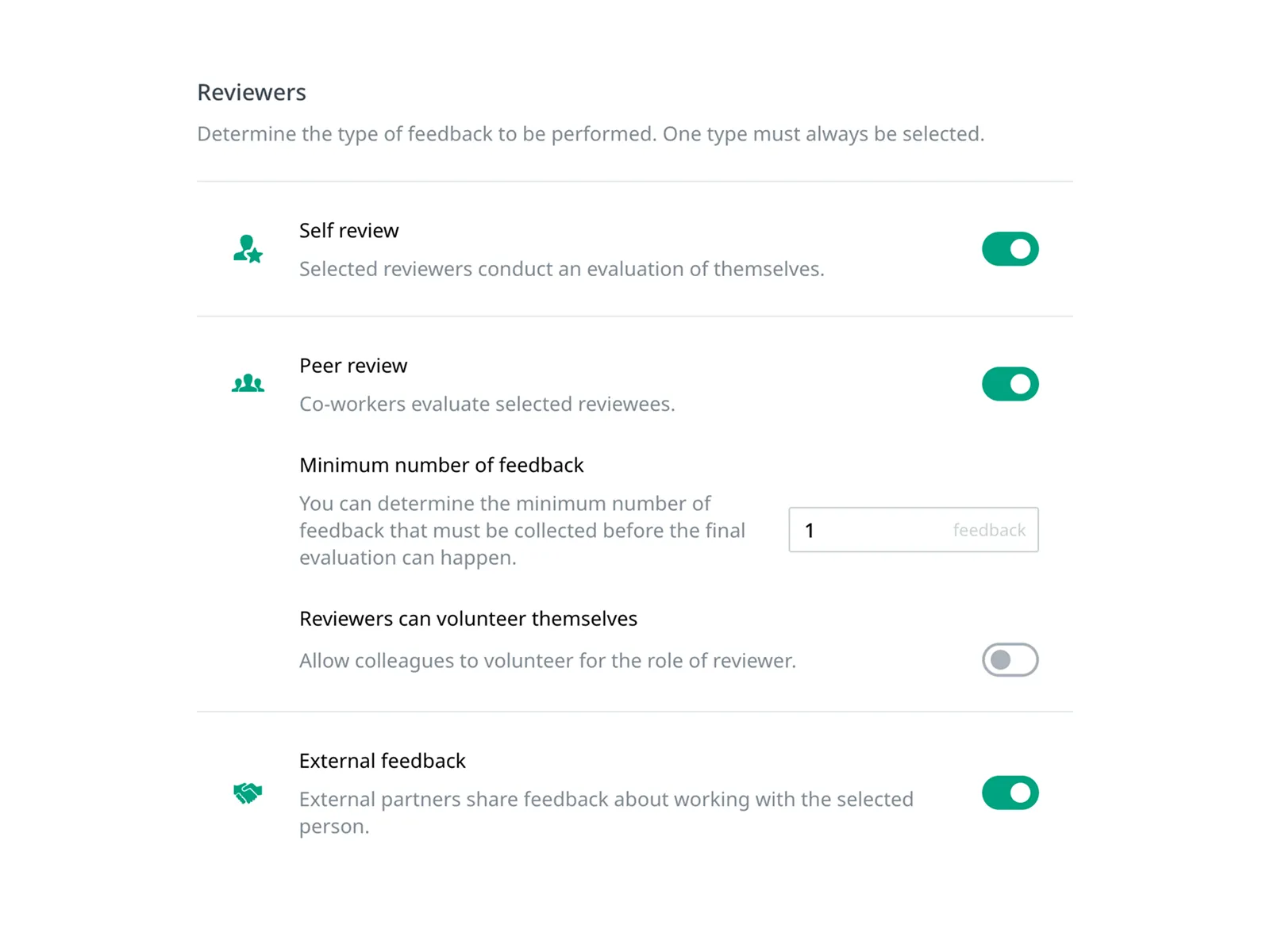
Personalized question wording
Use variables to make your evaluation form feel personal, not generic.
Instead of "Rate this person," write "How would you rate working with {firstName}?" or "How is {firstName} {lastName} performing in their role as {position}?".
Available variables:
- first name,
- full name,
- and position.
A small detail that makes a big difference – your form reads like a real conversation, not a mass-distributed survey.
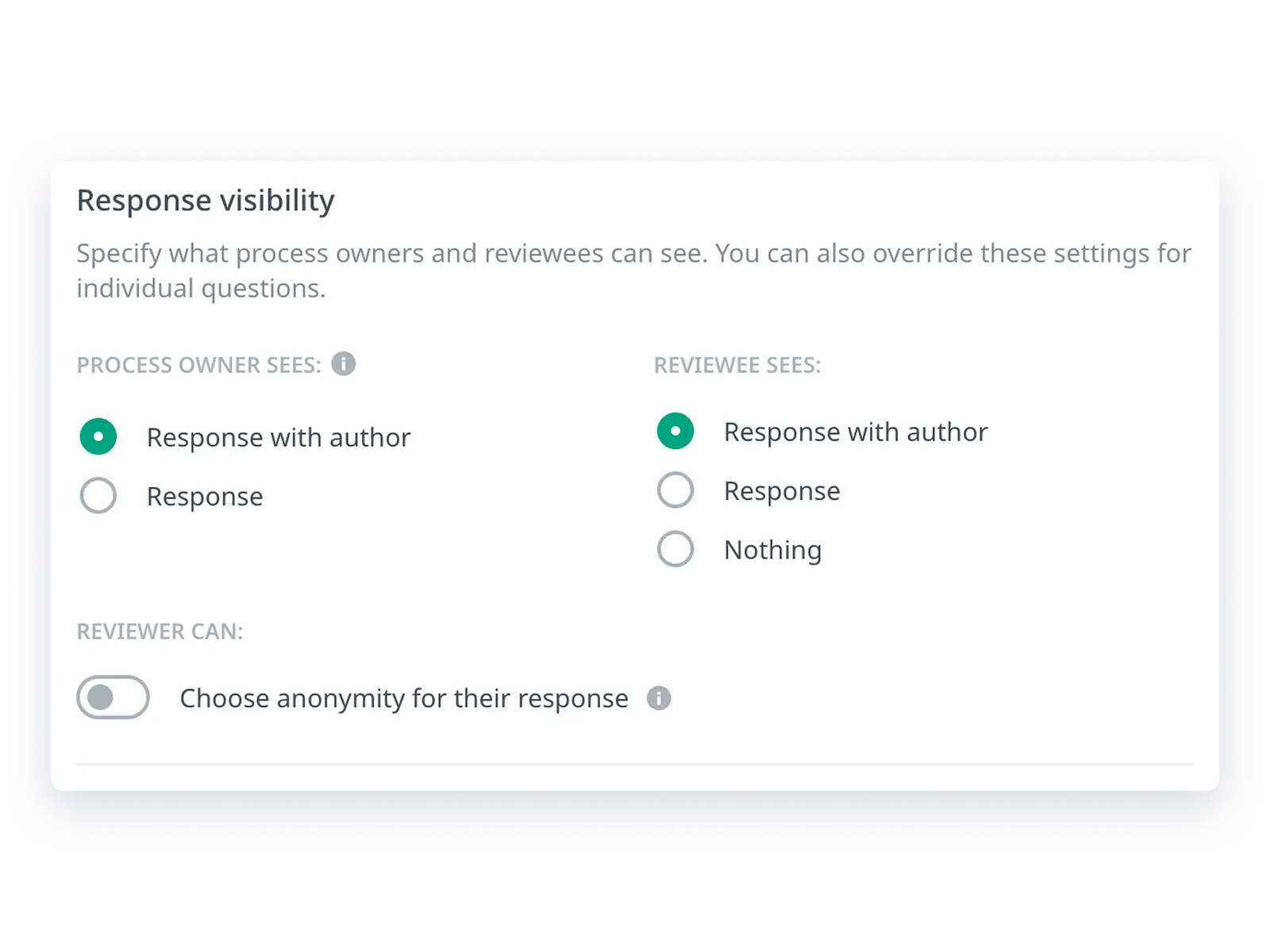
Full Control Over Response Visibility and Anonymity
When configuring a review session, you set response visibility separately for those managing the process and for the person being reviewed.
You have three modes to choose from:
- response with author attribution,
- anonymous response,
- or no access to responses.
You can also allow reviewers to decide for themselves whether to respond openly or anonymously.
You can also adjust visibility for a specific question with more restrictive settings – e.g. general questions open, questions about the manager anonymous. When completing a review, each participant sees clear information about who will see their response.
Find out more about response visibility >>>
Preview your form before anyone sees it
See exactly what each participant will see – before you launch the review. Pick any review type (self-assessment, peer review, external feedback or manager summary) and any person's perspective to preview the final form.
If you filtered questions by team or position, the preview respects those filters. If you restricted visibility on certain questions, the preview reflects that too. Changes update live as you edit – no need to save and reload.
Just one click to verify that your marketing team sees questions about campaigns, your sales team sees questions about targets, and no one sees something they shouldn't.
Optional summaries with guiding questions
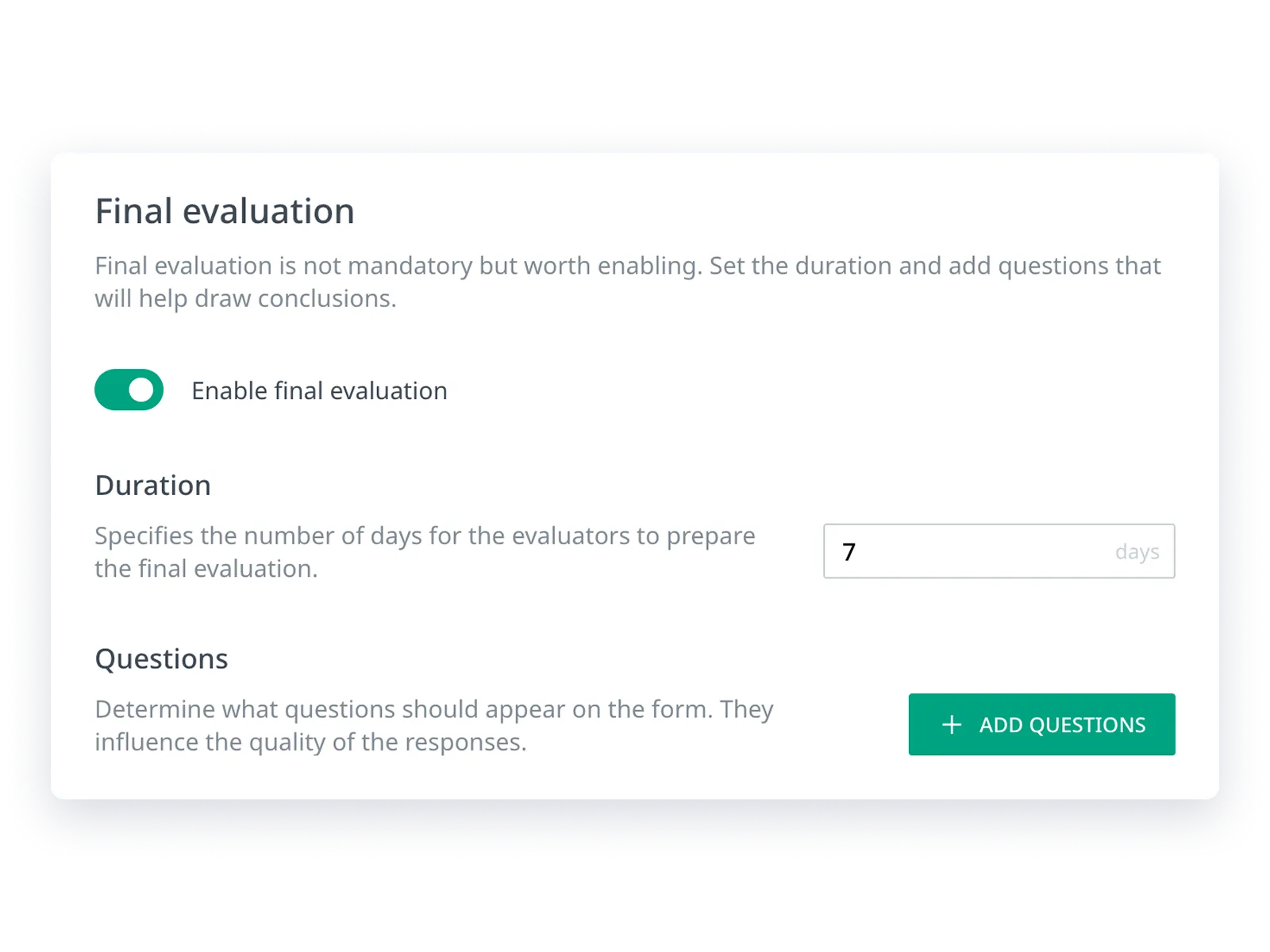
After feedback is collected, give managers a tool to create a cohesive summary.
Summaries are optional - but if you enable them, you can add guiding questions that steer the conversation (e.g., "What was this person's biggest achievement this quarter?").
You can also invite additional people to the summary, like an HR Business Partner. The summary becomes the starting point for a development conversation – not just a document for the archive.
Performance Review
Run performance reviews without the paperwork
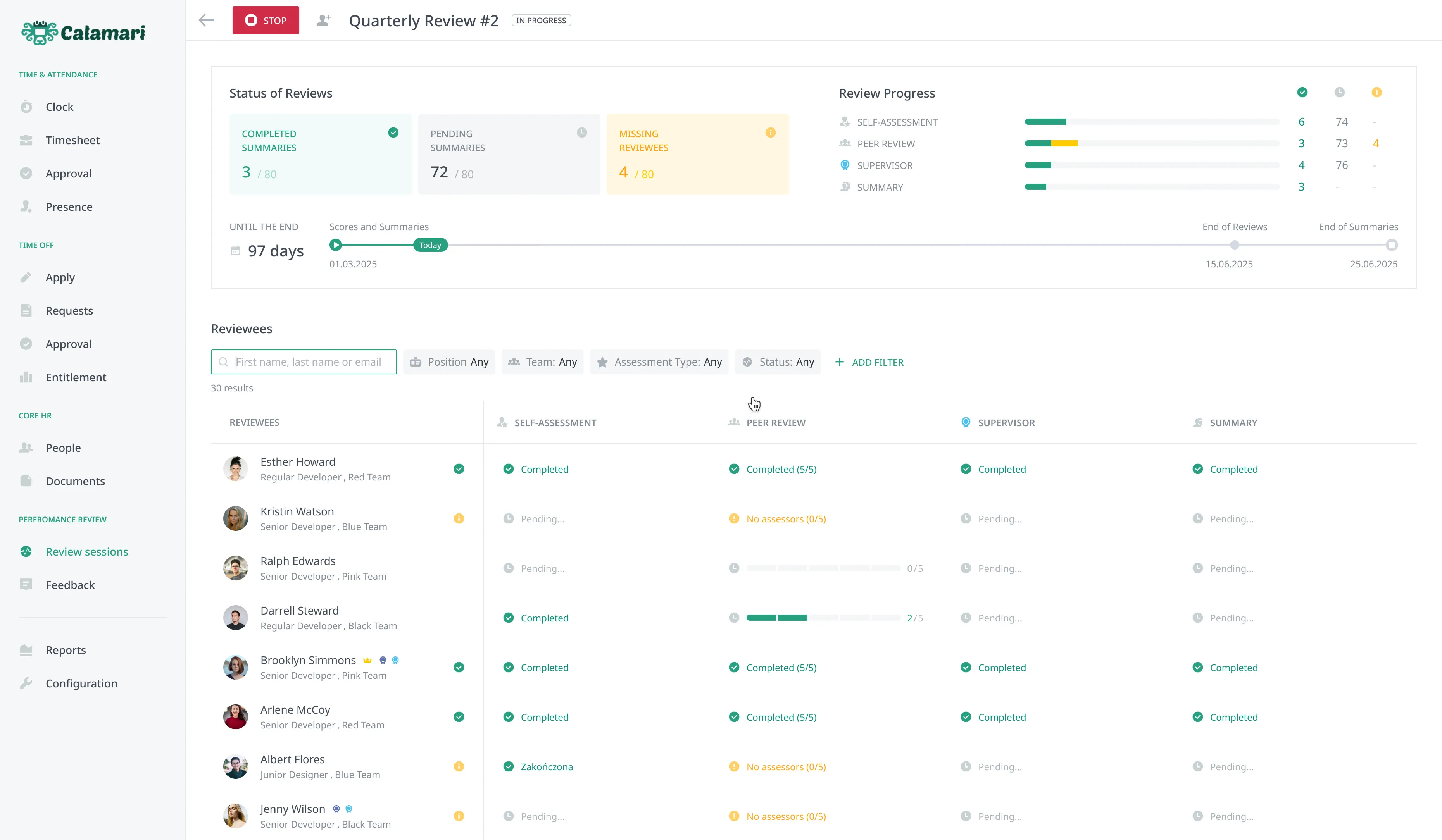
Calamari handles the whole cycle for you — invitations, reminders, and collecting responses. You design the questionnaire and review model, the system keeps everyone on track and pulls results into clear reports. One login, one place for the entire process.
FAQ
Here’s some information helpful for anyone looking to understand exactly how Employee Evaluation Forms work.
What is an employee evaluation form?
How do you create an effective employee evaluation form?
What's the difference between 90, 180, 270, and 360 degree reviews?
Can I ask different questions to different teams or external clients within one review cycle?
What question types can I use in the evaluation form?
Can I describe what each level means on the rating scale?
How is Calamari different from running evaluations with spreadsheets or survey forms?
Can I get manager summaries after feedback is collected?
How quickly can I set up employee evaluations in Calamari?
How much does the Performance Reviews module cost? Can I try it for free?
Do I need technical skills to build an evaluation form?
Get Ready for Efficiency
Stop being a bottleneck. Try Calamari free for 14 days and regain focus.
Thank you! Your submission has been received!
Oops! Something went wrong while submitting the form.
“In the 2+ years our company has used Calamari, we have heard nothing but positive feedback from employees and managers.”
– Parker R.VP, People, Mission & Culture at Brightspot


