
Put Your Leave Policy on Autopilot

Let Calamari handle compliance, timing, and complex eligibility with automated time‑off approvals and automating leave requests.

Join 130,000+
relaxed employees from 106 countries

"Is this request actually allowed?"

Your company has different leave rules for different teams. Remote workers have different accrual rates than office staff. New hires can't take PTO in their first 90 days. Long-term leave requires 30 days' notice. You shouldn't have to cross-reference spreadsheets, check hire dates, or memorize the employee handbook every time a notification pops up.

Manual policy checks lead to:‍‍

  • Operational Conflicts (Key backups going on leave).
  • Compliance Risks (Violating probation or statutory rules).
  • Payroll Errors (Editing history too far back).'

Stop the manual policing. Let the system say "No" (or "Wait"), so you can focus on the "Yes." This is where PTO approvals stay consistent and easy to track.

Configure Once, Apply Everywhere

Set up unique policies for different employee groups

Restrictions

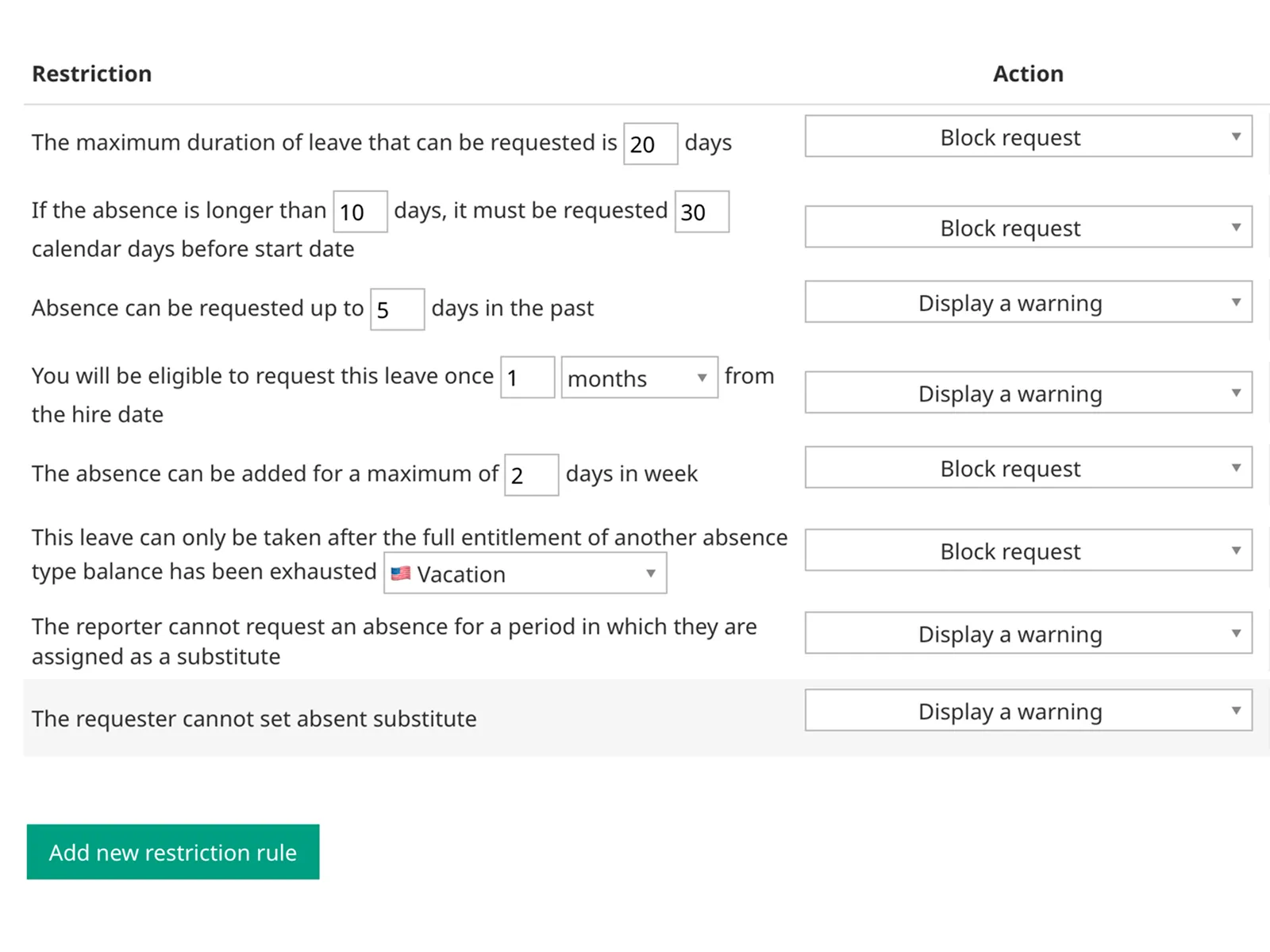
Enforce advance notice, retroactive limits, and minimum/maximum duration for every request.

Smart Accruals

Define rates based on department, contract type, country, role, or years of service (tenure).

Built-in Guidance

Embed policy descriptions directly in the form so employees know exactly what they are booking.

Carryover Limits

Automate caps and expiration dates per policy.

Eligibility Periods

Lock specific leave types until probation is over.

Balance Dependencies

Enforce using one leave type before another.

Restrictions

8 Ways Calamari Protects Your Policy

Calamari’s Restrictions Engine validates every single request in real-time. Here is exactly what you can automate to keep your operations running smoothly and automate PTO approvals:

  1. 1
    Retroactive Requests

    The History Lock for Payroll Team

    Keep your payroll accurate by preventing employees from rewriting the past.

    The Fix: Limit how far back an employee can request time off.

    Example: Absence can only be requested up to 3 days in the past.

  2. 2
    Submission Timing

    The No Surprises Rule

    Tired of employees asking for a 2-week vacation... starting tomorrow?

    The Fix: Require long absences to be requested in advance.

    Example: "If the request is longer than 5 days, it must be submitted 14 days before the start date."

  3. 3
    Absence Length

    The Right-Lenght Control

    Prevent request fragmentation or excessively long breaks without discussion.

    The Fix: Set minimum and maximum duration limits per request.

    Example: "The maximum duration of leave that can be requested is 7 days"

  4. 4
    Substitute Overlap

    The Availability Protection

    Avoid the "Domino Effect" where the person covering for an absentee also goes on leave.

    The Fix: The system blocks a request if the user is currently assigned as a Substitute for someone else during that period.

    Benefit: Ensures your designated backups are actually available.

  5. 5
    Substitute Availability

    The Ghost Backup Check

    Don't let employees "tick the box" by picking a substitute who is on vacation themselves.

    The Fix: The system validates the substitute's calendar in real-time.

    Flexibility: Choose Block to force finding a real backup, or Warn to allow exceptions during tricky periods (like Christmas) when everyone is away.

  6. 6
    Employment Status

    The New Hire Guardrail

    Protect your onboarding period and ensure new team members settle in before taking specific leave types.

    The Fix: Link eligibility to the Hire Date.

    Example: "This absence type is only available after 90 days of employment."

  7. 7
    Dependencies

    The Fair Play Hierarchy

    Ensure employees use up their mandatory or statutory leave before dipping into unpaid leave or other special buckets.

    The Fix: Create a dependency between absence types.

    Example: "You must fully exhaust 'Vacation Leave' balance before requesting 'Unpaid Leave'".

  8. 8
    Max Days in Week

    The Coverage Cap

    Perfect for part-time workflows, remote work or ensuring presence during critical weeks.

    The Fix: Limit the volume of remote days within a single week.

    Example: "Maximum of 3 remote days allowed per week for this specific absence type."

Leave Policy Violations

Strict Time Off Rules Enforcment or Gentle Nudge

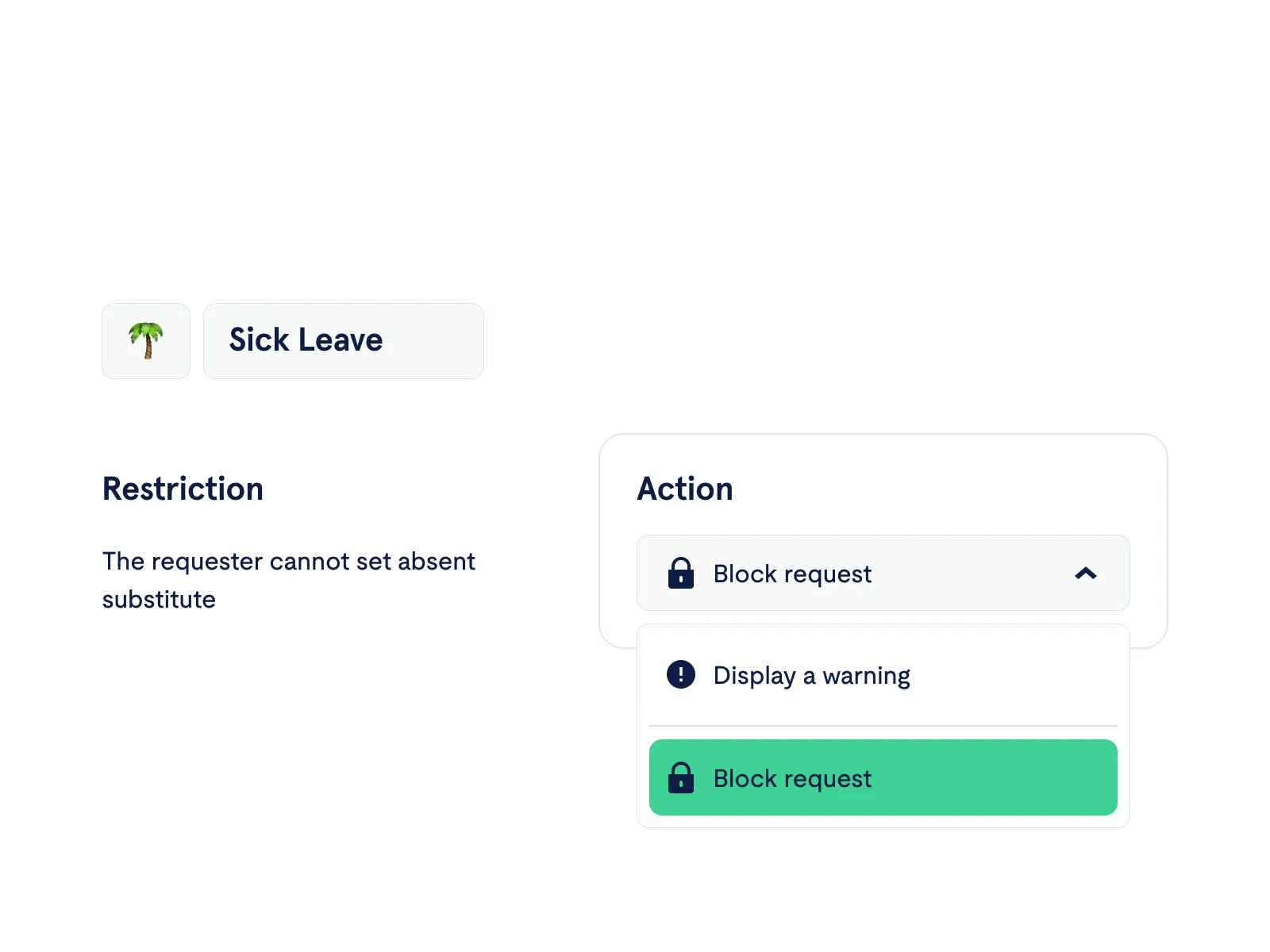
Not every rule needs to be a stone wall. You decide how the system reacts to a violation:

🔴 Block the Request (Enforce Compliance): The system prevents submission entirely. The employee sees exactly why (e.g., "You are currently assigned as a substitute"). Zero errors, zero debates.

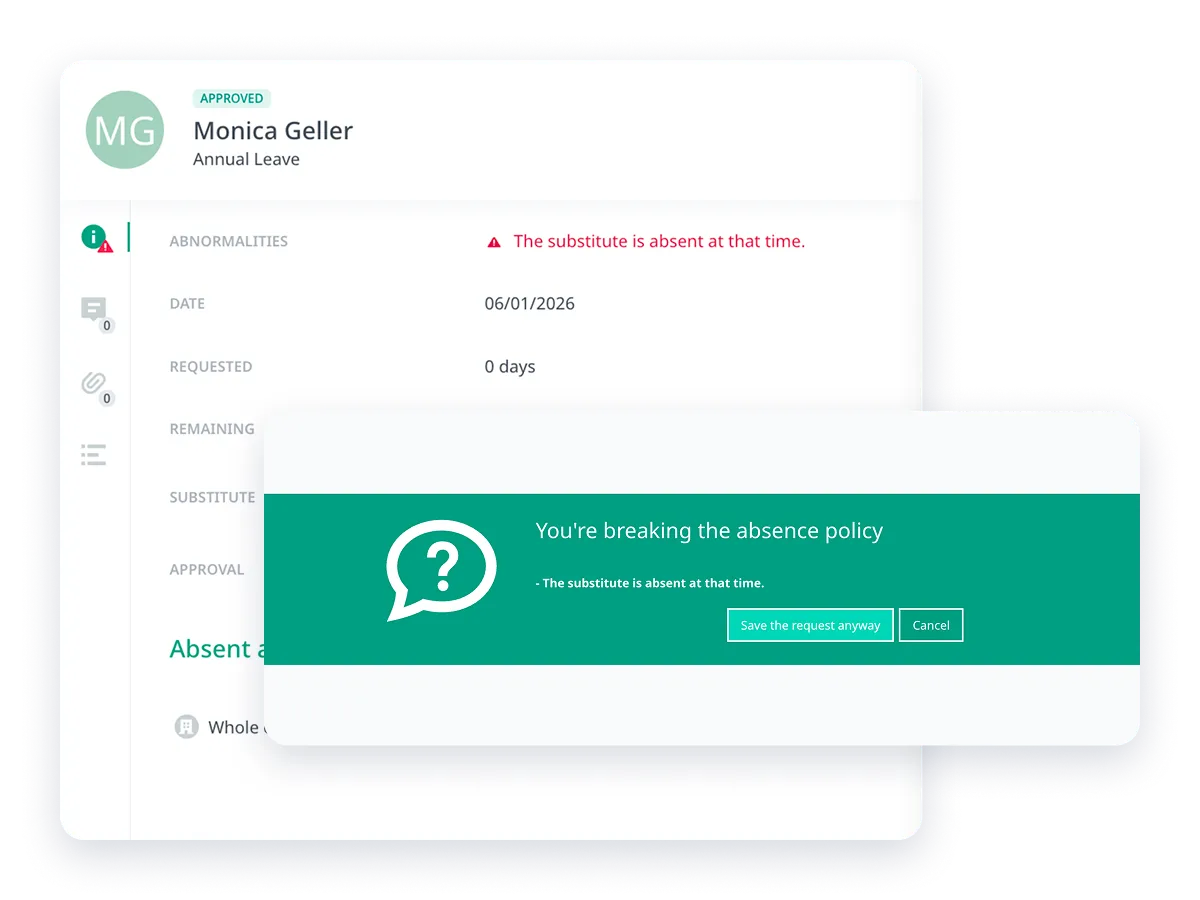
⚠️ Display Warning (Flag Violations): The system allows the request but flags it immediately. The Manager sees a "Policy Violation" alert during approval. Perfect for when you want to allow exceptions but stay informed.

Transparent Leave Policy

Transparency for Employees and Managers

Employees see:

  • Why their request was blocked or flagged
  • Exactly which policy rule they violated
  • When they'll become eligible

Managers get:

  • Clear restriction violations in request details
  • Context to make informed approval decisions
  • Less back-and-forth with HR

FAQ

Here’s some information helpful for anyone looking to understand exactly how Leave Policy Compliance works.

Powering Fast Growing Companies

Ready to Centralize Your Employee Data?

Book a demo today to see how Calamari's Core HR can transform your HR operations.




